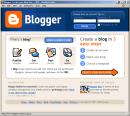
 Now that you’ve done some exploring around this website and understand how this program will work, it’s time to setup your very own personal blog to begin recording your thoughts, discoveries and exercises in. For this program, I recommend that you use Blogger*, a popular free online blog hosting service that is extremely easy to use.
Creating a blog using Blogger takes just three steps:
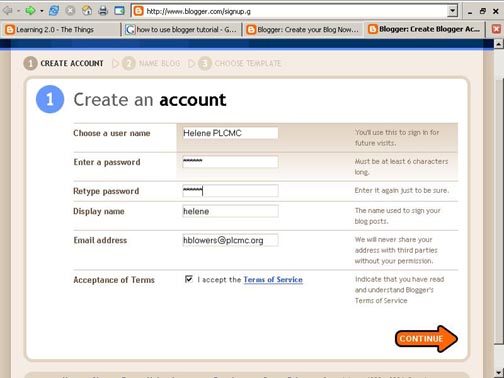
1. Create an account (view screenshot)
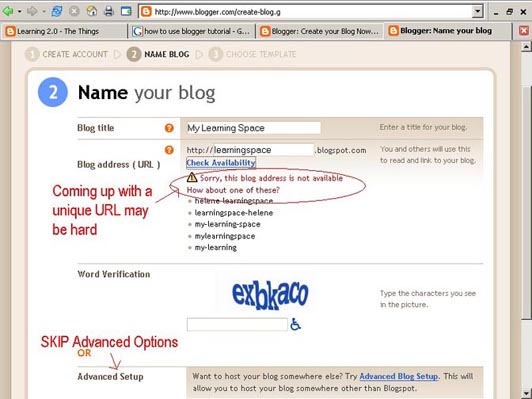
2. Name your blog (view screenshot)
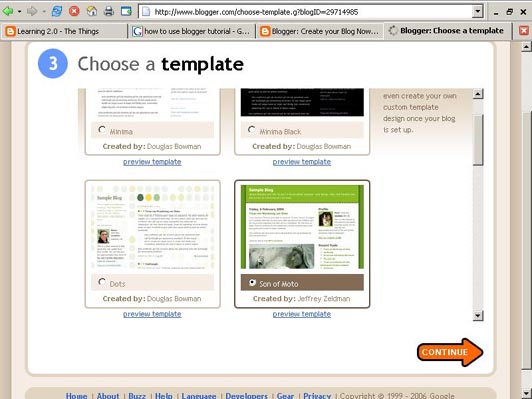
3. Select your template. (view screenshot)
Once you’ve created your blog here are two important things to know:
- To add posts**: The maintenance interface that you will use to add posts, edit or change the set-up of your blog, is accessed online at http://www.blogger.com Be sure to write down your login and password.
- To view your blog: Your blog address is http://(xxxx).blogspot.com, (xxxx)=the unique identifier you entered in Step 2 above Name your blog. Be sure to also write down your blog address.
- Blogger’s Quick Tutorial
- Freevlog’s Quicktime Tutorial: Setup a Free Blogger Blog Note: Ignore the opening comments about downloading Firefox if your PC doesn’t have it. This will work in Explorer just fine.
OK -- Now, it’s your turn...
Discovery Exercise:
1. Setup a blog for yourself through Blogger.
2. Add a test post or two.
Note: Use one of your test posts to create an entry about the habits among the 7 and 1/2 lifelong learning habits that is easiest and hardest for you & why.
3. Have fun!!!!
IMPORTANT NOTE: How you choose to identify yourself on your blog is your choice. You can blog under a screen name, anonymously, or as yourself.
* Use of Blogger is only a recommendation. If there is another blog hosting site that you are more comfortable with, please feel free to use it.
** A blog post is the information that you put onto your blog. For example this page is a blog post.
Next Up For This Week: #4 Register your blog and track your progress

No comments:
Post a Comment